Product tips
Formatting tables: borders, text styles and color
As promised in our last post on tables we continue to assist you in table design. Here we look at borders, background color and text


Die Software-Suite für den digitalen Dialog und einfache Workflows

Bausteinorientiertes Design und Verwaltung von Vorlagen: intuitiv und browserbasiert

Sachbearbeiter-Arbeitsplatz zur interaktiven Dokumentenbearbeitung (Thin Client)

Automatisierte Produktion von Dokumenten für OnDemand / Batch / Label / Email / Druck und Archiv Prozesse

Datenbeschaffung & Konsolidierung von Daten aus unterschiedlichen Datenhaltungssystemen

Elektronische Unterschriften mit einfachen Workflows

Tool zur Vereinfachung von Staging und Workflowprozessen

Tool zum Vergleich von Dokumentversionen

Kunden- und Mitarbeiterportal zur Dokumentenbearbeitung

Digitale Lösung für die Entgeltabrechnung für Konzerne | Enterprises | große Unternehmen

Lösung speziell für Enterprise-Label-Design Produktion | Logistik | Deklaration

ZUGFeRD oder XRechnung

Lösung speziell für E-Commerce und Onlinehandel

Planung | Terminierung | Kontrolle von Vorlagen und Bereitstellungsmanagement

Lösungen speziell für S/4Hanna und SAP
As promised in our last post on tables we continue to assist you in table design. Here we look at borders, background color and text

Using Designer and related products from Cartago® Live Suite such as DocEngine, Workspace and others usually starts in one department on customer side. The first
Cartago Designer can be used to create documents of all kinds, including html-documents. With its abundance of possibilities, however, Designer is sometimes oversized for relatively

New customers start from scratch when working with Designer. There are neither documents nor segments and everything has to be created. As time goes by
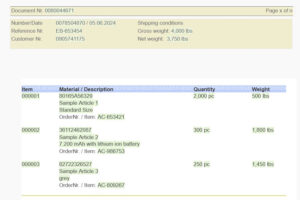
You can use tables in Designer in many different ways. They can be the frame with visible borders for facts and figures or have invisible

Top right in the blue header you can find a tiny icon with two people. Most users probably ignored it in the past, which –

Segments in Designer are as versatile as colorful building blocks are for children. They are the key elements in document design and ensure that documents

Designer offers different possibilities to use files from external sources. This post shows you how you can work with images, text and data. Files can

Perhaps you want to check whether a data field is not empty, give a document a personal note or adapt it to different customer segments

A user may shout out like this if something does not work as expected. It may be due to a system error. But often the