

Cartago Designer can be used to create documents of all kinds, including html-documents. With its abundance of possibilities, however, Designer is sometimes oversized for relatively simple emails. That is why we are expanding our product portfolio with a lightweight tool which can be used to create html documents quickly and intuitively. In accordance with its task, the tool has been given the name HTML-Creator.
We are now looking at the current state of development to find out how the HTML-creator looks like and what the tool can do.
Clear structure, easy handling
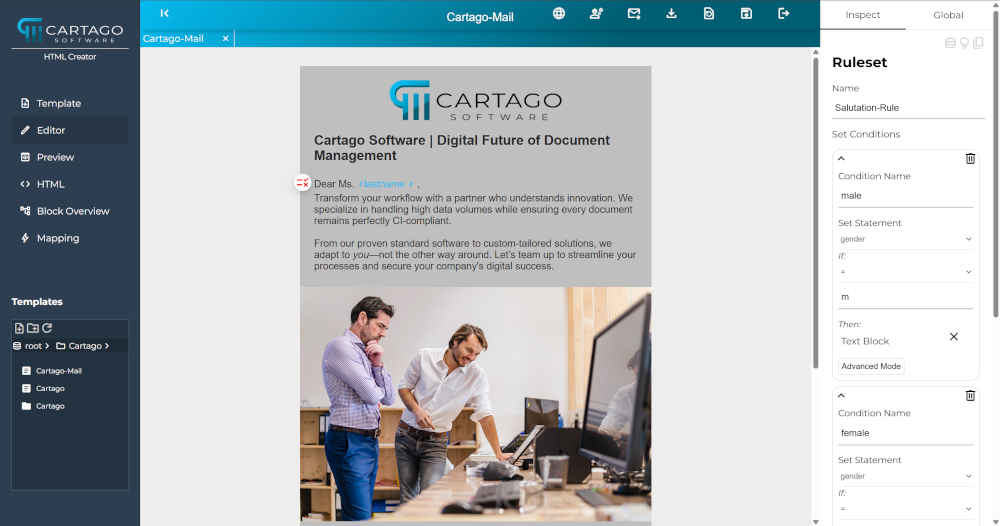
The HTML-creator has three distinct columns. As in Designer, the editor is the largest part in the middle. On the left side you can find the basic navigation. On the right side you can configure the content elements very intuitively with familiar buttons and widgets such as sliders, color pickers and drop down fields.
It only takes a few clicks to create the basic structure of a template and to fill it with content.
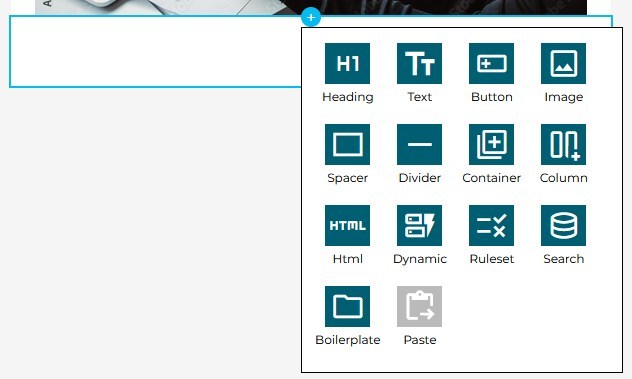
You can create content elements with one, two or three columns.
The button to save everything is located in the top navigation bar in a central position.
Saving your changes makes them persistent. Nevertheless it is still possible to change the settings at a later stage. Each content element can be moved to a new position using the arrow keys or can be deleted via the dust bin icon in the top left corner.
With good preparation, the content can also be inserted quickly – whether typed directly, copied from the clipboard or taken from an external document.
It is also possible to reuse existing elements. This speeds up work of the design team and also guarantees that e-mails are visually appealing and comply with the CI-specifications.
On the other hand, it is also possible to define format settings centrally for the entire template, such as an overall font or background color or spacing to all four sides.
Conditions and data
Of course, HTML-Creator is not an isolated system. In most cases it is connected to a data source so that individual mails can be produced.
A user-friendly wizzard allows the composition of conditions with few clicks only. In the next step you can define the content to be shown if the condition is true.
This allows a salutation by name as well as individual content to create personalized emails or implement different measures for customer segmentation.
Flexible preview
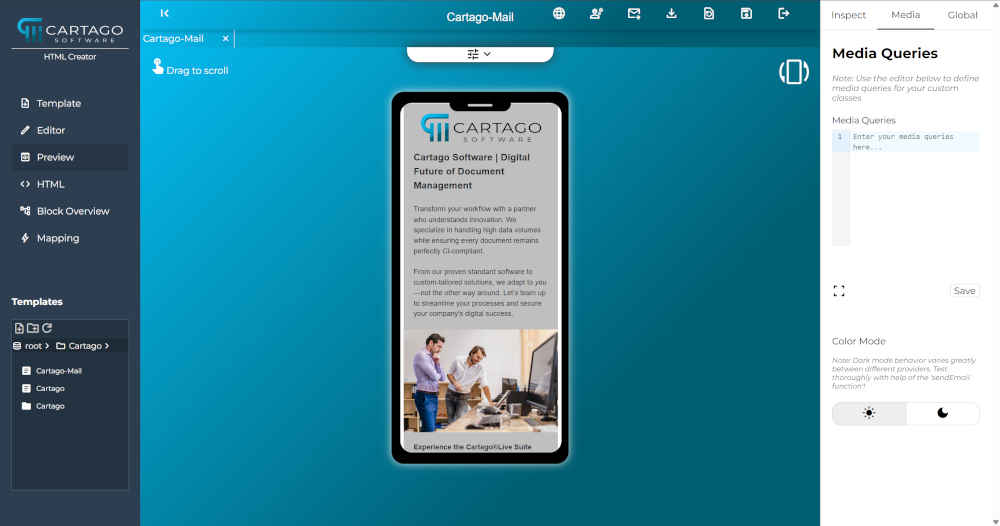
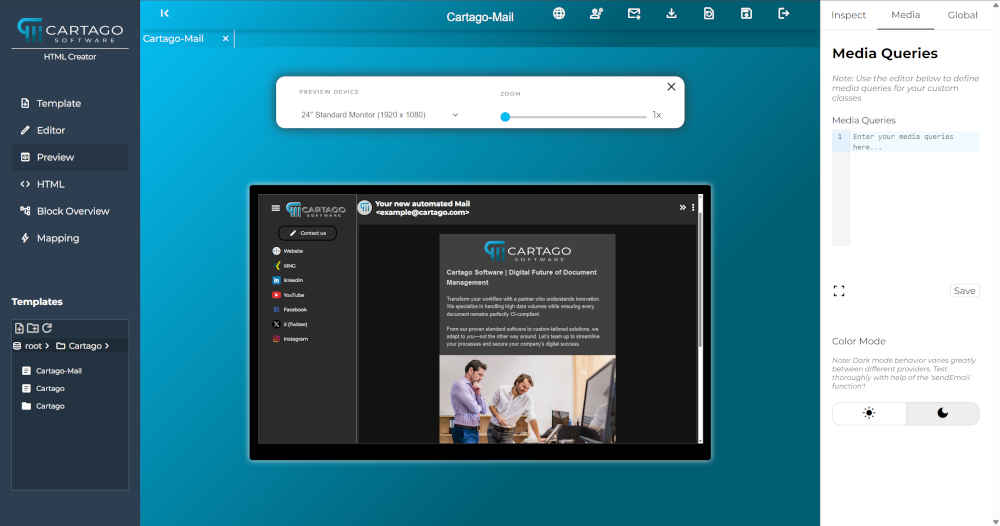
The tool offers a preview function which shows the mail on a standard screen, tablet or smartphone. The mobile devices can be rotated so that you can check the layout with different values for the width.
If you want to see details you can increase the zoom factor using a slider top right.
Here you can see two examples for smartphone and screen.
As soon as content and layout passed the test in the preview, you can send the template to an email address. HTML-creator offers this functionality, too, so that you can check, how your mail looks like in different mail programs.
The next steps...
HTML-Creator is ready to create versatile emails. Nevertheless, our development team still has some open tickets with further improvements. We are also open to suggestions and requests from customers who are interested in using the new tool.
Please feel free to contact us if you have questions concerning the HTML-Creator or if you would like to get a demo.